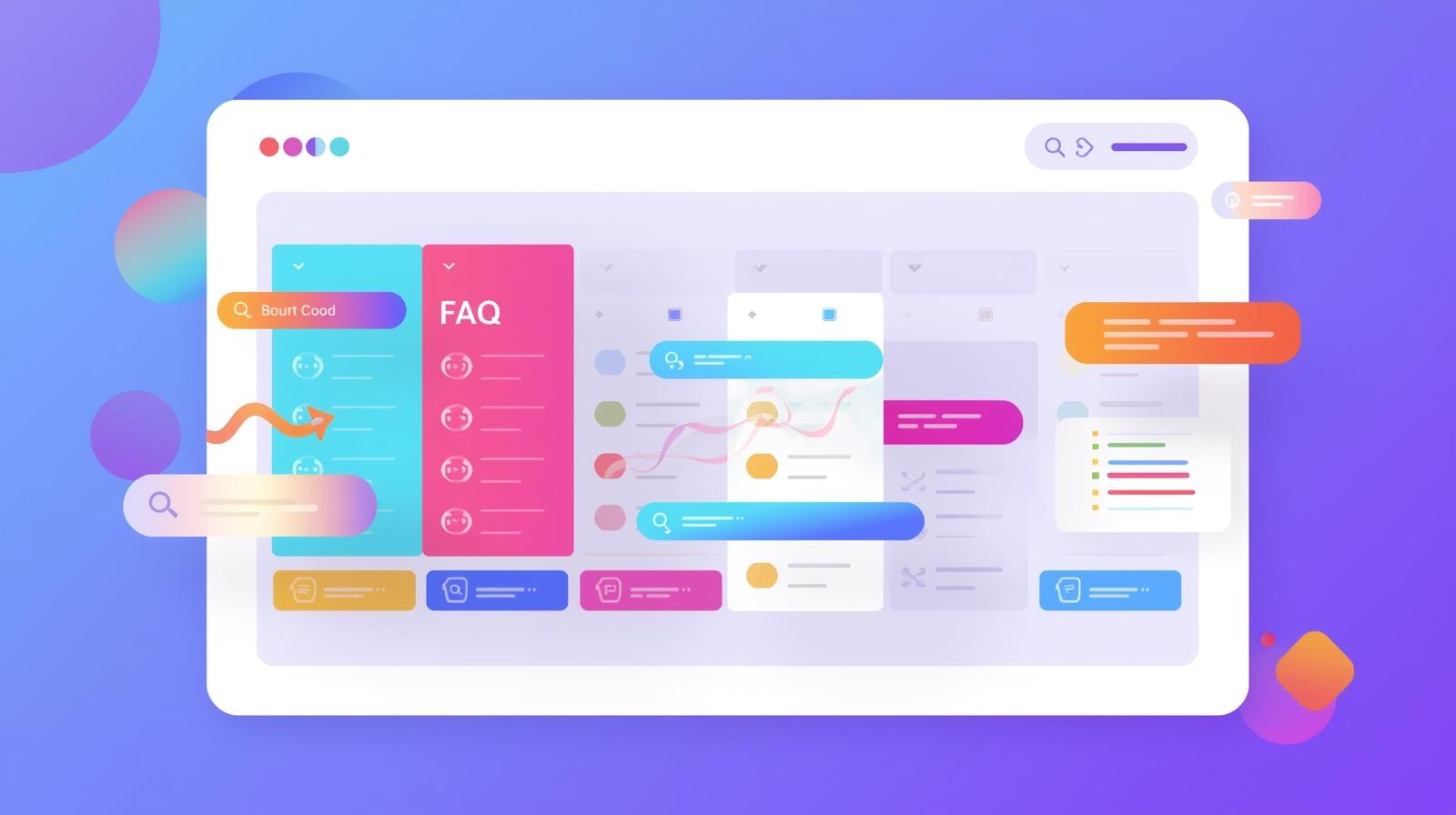
FAQ Accordion Using HTML, CSS & JavaScript – Build a Stylish, Responsive FAQ Section
In today’s fast-paced digital world, providing clear answers to your users’ questions is essential. A well-structured FAQ section can make your website intuitive, attractive, and highly functional. Using HTML, CSS, and JavaScript, you can create an FAQ accordion that is both visually appealing and responsive, enhancing your users’ experience.
An FAQ accordion is not just a stylish design. It’s a tool that allows you to organize multiple questions and answers in a compact, interactive layout. By collapsing and expanding content, visitors can quickly find the information they need without scrolling endlessly.
Why Choose an FAQ Accordion?
Implementing an FAQ accordion on your website improves usability. Users can interact with your content dynamically, expanding only the sections that matter to them. This approach reduces bounce rates, keeps users engaged, and creates a polished, professional impression.
Additionally, an accordion format saves valuable page space. Instead of listing all questions and answers at once, which can overwhelm users, you present information progressively. The clean layout ensures that your website remains organized and user-friendly.
Creating an FAQ Accordion with HTML
HTML provides the structure for your FAQ section. Each question is typically placed inside a button or header tag, while the corresponding answer is wrapped in a collapsible container. This structure ensures your content is readable, accessible, and optimized for search engines.
For example, a simple structure can include multiple FAQ cards with question buttons and hidden answer sections. When a user clicks a question, the answer smoothly expands, giving a natural interactive feel.
Styling with CSS
CSS controls the visual presentation of your FAQ accordion. You can use it to create modern, rounded buttons, add hover effects, or apply color schemes that match your website theme. Proper CSS ensures that your accordion is responsive, meaning it looks great on all devices, from large desktops to mobile phones.
Colors play a key role in user perception. Light backgrounds with soft borders create a professional and calm feel, while darker themes add a sleek, contemporary look. Spacing and font choices enhance readability and make the FAQ section inviting to interact with.
Adding Interactivity with JavaScript
JavaScript is essential for dynamic behavior in FAQ accordions. It enables content to expand or collapse when users click a question. This interactivity not only improves user experience but also keeps the page lightweight and efficient.
By using JavaScript, you can also control advanced features like rotating arrows, nested sub-questions, or animated transitions. These subtle interactions make your website feel polished and responsive, leaving a lasting impression on visitors.
Benefits Beyond Design
An FAQ accordion offers more than visual appeal. It improves your website’s search engine optimization (SEO) through structured content. Properly marked-up FAQs can appear in Google’s rich snippets, enhancing your visibility and click-through rate. This is especially valuable for attracting new users and driving organic traffic.
Moreover, a well-implemented FAQ accordion demonstrates your expertise and authority. By clearly addressing common questions, you build trust with your audience. Visitors recognize your commitment to providing helpful, reliable information.
Best Practices for FAQ Accordions
- Keep Answers Concise: Each answer should be clear and limited to a few lines for easy readability. Avoid long paragraphs that overwhelm users.
- Use Nested Questions Sparingly: If sub-questions are necessary, group them logically under a main question to ensure smooth navigation.
- Responsive Design is Key: Test your accordion on multiple devices to ensure it looks good on both mobile and desktop screens.
- Consistent Styling: Use consistent font sizes, colors, and padding across all FAQ items. This improves aesthetics and readability.
- Accessible Design: Ensure that your accordion can be navigated using a keyboard and is readable by screen readers. Accessibility enhances trust and usability.
Examples of Popular FAQ Accordion Styles
- Modern Rounded Accordion: Rounded buttons with subtle shadows and smooth collapsible answers. Ideal for landing pages.
- Rectangular Accordion with Arrow: Clean rectangular blocks with rotating arrows for a visually intuitive interaction.
- Google-Style Accordion: Minimalist design with plus/minus toggles for professional and corporate websites.
- Nested Accordion: Perfect for large FAQs, with main topics and sub-topics neatly organized.
Each style can be customized to fit your brand’s colors, typography, and layout. Using HTML, CSS, and JavaScript ensures flexibility without relying on third-party plugins.
Creating a Seamless User Experience
A key aspect of an FAQ accordion is user experience (UX). Smooth transitions, responsive behavior, and interactive elements create a pleasant browsing experience. Users can quickly scan questions, click on what they need, and instantly receive answers.
Additionally, proper spacing, clear headings, and visual cues like arrows or hover effects guide the user naturally. An effective FAQ accordion reduces frustration, improves engagement, and encourages visitors to explore other parts of your website.
SEO and Structured Data
Structured data enhances how search engines understand your content. By marking up FAQs using JSON-LD or schema.org, your answers can appear directly in search results. This increases visibility and trustworthiness while improving the chance of clicks from users looking for quick answers.
Moreover, using clean, validated HTML, CSS, and JavaScript avoids common SEO pitfalls like duplicate <head> or <body> tags, slow load times, or inaccessible content. This ensures your FAQ accordion contributes positively to your website’s SEO performance.
Conclusion: Transform Your FAQ Section
An FAQ accordion built with HTML, CSS, and JavaScript is more than a design element—it’s a tool for better communication. It organizes information, enhances user experience, and adds credibility to your website. By implementing a responsive, visually appealing accordion, you provide value, build trust, and encourage users to engage with your content.
For a practical implementation, check out the completeFAQ accordion source code on Zuzuur. It’s easy to copy, customize, and integrate into your website without plugins.
Investing in a well-designed FAQ section demonstrates your expertise, authority, and commitment to helping your visitors. With the right combination of HTML, CSS, and JavaScript, you can create an engaging, responsive, and informative FAQ accordion that elevates your website and user experience.
Modern FAQ Design Complete Source Code
<!doctype html>
<html lang="en" class="h-full">
<head>
<meta charset="UTF-8">
<meta name="viewport" content="width=device-width, initial-scale=1.0">
<title>FAQ Accordion</title>
<script src="https://cdn.tailwindcss.com/3.4.17"></script>
<script src="/_sdk/element_sdk.js"></script>
<link rel="preconnect" href="https://fonts.googleapis.com">
<link rel="preconnect" href="https://fonts.gstatic.com" crossorigin>
<link href="https://fonts.googleapis.com/css2?family=Outfit:wght@300;400;500;600;700&display=swap" rel="stylesheet">
<style>
* { font-family: 'Outfit', sans-serif; }
.accordion-content {
max-height: 0;
overflow: hidden;
transition: max-height 0.4s cubic-bezier(0.4, 0, 0.2, 1), padding 0.3s ease;
}
.accordion-content.open {
max-height: 500px;
}
.accordion-icon {
transition: transform 0.3s cubic-bezier(0.4, 0, 0.2, 1);
}
.accordion-icon.rotate {
transform: rotate(45deg);
}
.accordion-item {
transition: all 0.3s ease;
}
.accordion-item:hover {
transform: translateX(4px);
}
.gradient-text {
background: linear-gradient(135deg, #667eea 0%, #764ba2 100%);
-webkit-background-clip: text;
-webkit-text-fill-color: transparent;
background-clip: text;
}
.floating-shape {
animation: float 6s ease-in-out infinite;
}
.floating-shape:nth-child(2) {
animation-delay: -2s;
}
.floating-shape:nth-child(3) {
animation-delay: -4s;
}
@keyframes float {
0%, 100% { transform: translateY(0) rotate(0deg); }
50% { transform: translateY(-20px) rotate(5deg); }
}
.pulse-ring {
animation: pulse-ring 2s cubic-bezier(0.4, 0, 0.6, 1) infinite;
}
@keyframes pulse-ring {
0%, 100% { opacity: 0.3; transform: scale(1); }
50% { opacity: 0.1; transform: scale(1.05); }
}
</style>
<style>body { box-sizing: border-box; }</style>
<script src="/_sdk/data_sdk.js" type="text/javascript"></script>
</head>
<body class="h-full">
<div id="app-wrapper" class="h-full w-full overflow-auto" style="background: linear-gradient(135deg, #0f0f23 0%, #1a1a3e 50%, #0f0f23 100%);"><!-- Decorative Background Elements -->
<div class="fixed inset-0 overflow-hidden pointer-events-none">
<div class="floating-shape absolute top-20 left-10 w-64 h-64 rounded-full opacity-20" style="background: radial-gradient(circle, #667eea 0%, transparent 70%);"></div>
<div class="floating-shape absolute top-40 right-20 w-96 h-96 rounded-full opacity-15" style="background: radial-gradient(circle, #764ba2 0%, transparent 70%);"></div>
<div class="floating-shape absolute bottom-20 left-1/3 w-80 h-80 rounded-full opacity-10" style="background: radial-gradient(circle, #f093fb 0%, transparent 70%);"></div>
</div>
<main class="relative z-10 min-h-full py-16 px-4 sm:px-6 lg:px-8">
<div class="max-w-3xl mx-auto"><!-- Header Section -->
<header class="text-center mb-16">
<div class="inline-flex items-center gap-2 px-4 py-2 rounded-full mb-6" style="background: rgba(102, 126, 234, 0.15); border: 1px solid rgba(102, 126, 234, 0.3);"><span class="w-2 h-2 rounded-full animate-pulse" style="background: #667eea;"></span> <span class="text-sm font-medium" style="color: #a5b4fc;">Help Center</span>
</div>
<h1 id="main-title" class="text-4xl sm:text-5xl lg:text-6xl font-bold mb-4 gradient-text">Frequently Asked Questions</h1>
<p id="subtitle" class="text-lg sm:text-xl max-w-xl mx-auto" style="color: #94a3b8;">Find answers to common questions about our services and features</p>
</header><!-- FAQ Accordion -->
<div class="space-y-4" role="region" aria-label="Frequently Asked Questions"><!-- FAQ Item 1 -->
<article class="accordion-item rounded-2xl overflow-hidden" style="background: rgba(255, 255, 255, 0.03); border: 1px solid rgba(255, 255, 255, 0.08); backdrop-filter: blur(10px);"><button class="accordion-button w-full px-6 py-5 flex items-center justify-between text-left focus:outline-none focus:ring-2 focus:ring-offset-2 rounded-2xl" style="--tw-ring-color: #667eea; --tw-ring-offset-color: #0f0f23;" aria-expanded="false">
<div class="flex items-center gap-4">
<div class="flex-shrink-0 w-12 h-12 rounded-xl flex items-center justify-center" style="background: linear-gradient(135deg, #667eea 0%, #764ba2 100%);">
<svg class="w-6 h-6 text-white" fill="none" stroke="currentColor" viewbox="0 0 24 24"><path stroke-linecap="round" stroke-linejoin="round" stroke-width="2" d="M13 10V3L4 14h7v7l9-11h-7z" />
</svg>
</div><span class="text-lg font-semibold text-white">How do I get started with your platform?</span>
</div>
<div class="accordion-icon flex-shrink-0 w-10 h-10 rounded-full flex items-center justify-center" style="background: rgba(102, 126, 234, 0.2);">
<svg class="w-5 h-5" style="color: #667eea;" fill="none" stroke="currentColor" viewbox="0 0 24 24"><path stroke-linecap="round" stroke-linejoin="round" stroke-width="2" d="M12 4v16m8-8H4" />
</svg>
</div></button>
<div class="accordion-content">
<div class="px-6 pb-6 pt-2">
<div class="ml-16 pl-4" style="border-left: 2px solid rgba(102, 126, 234, 0.3);">
<p style="color: #cbd5e1; line-height: 1.8;">Getting started is easy! Simply create an account, complete your profile setup, and you'll have immediate access to all our features. Our onboarding wizard will guide you through the essential steps to customize your experience and start achieving your goals right away.</p>
</div>
</div>
</div>
</article><!-- FAQ Item 2 -->
<article class="accordion-item rounded-2xl overflow-hidden" style="background: rgba(255, 255, 255, 0.03); border: 1px solid rgba(255, 255, 255, 0.08); backdrop-filter: blur(10px);"><button class="accordion-button w-full px-6 py-5 flex items-center justify-between text-left focus:outline-none focus:ring-2 focus:ring-offset-2 rounded-2xl" style="--tw-ring-color: #667eea; --tw-ring-offset-color: #0f0f23;" aria-expanded="false">
<div class="flex items-center gap-4">
<div class="flex-shrink-0 w-12 h-12 rounded-xl flex items-center justify-center" style="background: linear-gradient(135deg, #f093fb 0%, #f5576c 100%);">
<svg class="w-6 h-6 text-white" fill="none" stroke="currentColor" viewbox="0 0 24 24"><path stroke-linecap="round" stroke-linejoin="round" stroke-width="2" d="M12 8c-1.657 0-3 .895-3 2s1.343 2 3 2 3 .895 3 2-1.343 2-3 2m0-8c1.11 0 2.08.402 2.599 1M12 8V7m0 1v8m0 0v1m0-1c-1.11 0-2.08-.402-2.599-1M21 12a9 9 0 11-18 0 9 9 0 0118 0z" />
</svg>
</div><span class="text-lg font-semibold text-white">What pricing plans do you offer?</span>
</div>
<div class="accordion-icon flex-shrink-0 w-10 h-10 rounded-full flex items-center justify-center" style="background: rgba(240, 147, 251, 0.2);">
<svg class="w-5 h-5" style="color: #f093fb;" fill="none" stroke="currentColor" viewbox="0 0 24 24"><path stroke-linecap="round" stroke-linejoin="round" stroke-width="2" d="M12 4v16m8-8H4" />
</svg>
</div></button>
<div class="accordion-content">
<div class="px-6 pb-6 pt-2">
<div class="ml-16 pl-4" style="border-left: 2px solid rgba(240, 147, 251, 0.3);">
<p style="color: #cbd5e1; line-height: 1.8;">We offer flexible pricing plans to suit every need. Our Free tier includes essential features, while our Pro plan unlocks advanced capabilities. For enterprises, we offer custom solutions with dedicated support. All paid plans come with a 14-day free trial, no credit card required!</p>
</div>
</div>
</div>
</article><!-- FAQ Item 3 -->
<article class="accordion-item rounded-2xl overflow-hidden" style="background: rgba(255, 255, 255, 0.03); border: 1px solid rgba(255, 255, 255, 0.08); backdrop-filter: blur(10px);"><button class="accordion-button w-full px-6 py-5 flex items-center justify-between text-left focus:outline-none focus:ring-2 focus:ring-offset-2 rounded-2xl" style="--tw-ring-color: #667eea; --tw-ring-offset-color: #0f0f23;" aria-expanded="false">
<div class="flex items-center gap-4">
<div class="flex-shrink-0 w-12 h-12 rounded-xl flex items-center justify-center" style="background: linear-gradient(135deg, #4facfe 0%, #00f2fe 100%);">
<svg class="w-6 h-6 text-white" fill="none" stroke="currentColor" viewbox="0 0 24 24"><path stroke-linecap="round" stroke-linejoin="round" stroke-width="2" d="M9 12l2 2 4-4m5.618-4.016A11.955 11.955 0 0112 2.944a11.955 11.955 0 01-8.618 3.04A12.02 12.02 0 003 9c0 5.591 3.824 10.29 9 11.622 5.176-1.332 9-6.03 9-11.622 0-1.042-.133-2.052-.382-3.016z" />
</svg>
</div><span class="text-lg font-semibold text-white">Is my data secure with your service?</span>
</div>
<div class="accordion-icon flex-shrink-0 w-10 h-10 rounded-full flex items-center justify-center" style="background: rgba(79, 172, 254, 0.2);">
<svg class="w-5 h-5" style="color: #4facfe;" fill="none" stroke="currentColor" viewbox="0 0 24 24"><path stroke-linecap="round" stroke-linejoin="round" stroke-width="2" d="M12 4v16m8-8H4" />
</svg>
</div></button>
<div class="accordion-content">
<div class="px-6 pb-6 pt-2">
<div class="ml-16 pl-4" style="border-left: 2px solid rgba(79, 172, 254, 0.3);">
<p style="color: #cbd5e1; line-height: 1.8;">Absolutely! Security is our top priority. We use industry-standard AES-256 encryption for all data, both in transit and at rest. Our infrastructure is SOC 2 Type II certified, and we conduct regular security audits. Your data is never shared with third parties without your explicit consent.</p>
</div>
</div>
</div>
</article><!-- FAQ Item 4 -->
<article class="accordion-item rounded-2xl overflow-hidden" style="background: rgba(255, 255, 255, 0.03); border: 1px solid rgba(255, 255, 255, 0.08); backdrop-filter: blur(10px);"><button class="accordion-button w-full px-6 py-5 flex items-center justify-between text-left focus:outline-none focus:ring-2 focus:ring-offset-2 rounded-2xl" style="--tw-ring-color: #667eea; --tw-ring-offset-color: #0f0f23;" aria-expanded="false">
<div class="flex items-center gap-4">
<div class="flex-shrink-0 w-12 h-12 rounded-xl flex items-center justify-center" style="background: linear-gradient(135deg, #43e97b 0%, #38f9d7 100%);">
<svg class="w-6 h-6 text-white" fill="none" stroke="currentColor" viewbox="0 0 24 24"><path stroke-linecap="round" stroke-linejoin="round" stroke-width="2" d="M17 20h5v-2a3 3 0 00-5.356-1.857M17 20H7m10 0v-2c0-.656-.126-1.283-.356-1.857M7 20H2v-2a3 3 0 015.356-1.857M7 20v-2c0-.656.126-1.283.356-1.857m0 0a5.002 5.002 0 019.288 0M15 7a3 3 0 11-6 0 3 3 0 016 0zm6 3a2 2 0 11-4 0 2 2 0 014 0zM7 10a2 2 0 11-4 0 2 2 0 014 0z" />
</svg>
</div><span class="text-lg font-semibold text-white">Can I collaborate with my team?</span>
</div>
<div class="accordion-icon flex-shrink-0 w-10 h-10 rounded-full flex items-center justify-center" style="background: rgba(67, 233, 123, 0.2);">
<svg class="w-5 h-5" style="color: #43e97b;" fill="none" stroke="currentColor" viewbox="0 0 24 24"><path stroke-linecap="round" stroke-linejoin="round" stroke-width="2" d="M12 4v16m8-8H4" />
</svg>
</div></button>
<div class="accordion-content">
<div class="px-6 pb-6 pt-2">
<div class="ml-16 pl-4" style="border-left: 2px solid rgba(67, 233, 123, 0.3);">
<p style="color: #cbd5e1; line-height: 1.8;">Yes! Our platform is built for collaboration. Invite unlimited team members, assign roles and permissions, share projects in real-time, and communicate through built-in comments. Track changes with version history and keep everyone aligned with shared workspaces and notifications.</p>
</div>
</div>
</div>
</article><!-- FAQ Item 5 -->
<article class="accordion-item rounded-2xl overflow-hidden" style="background: rgba(255, 255, 255, 0.03); border: 1px solid rgba(255, 255, 255, 0.08); backdrop-filter: blur(10px);"><button class="accordion-button w-full px-6 py-5 flex items-center justify-between text-left focus:outline-none focus:ring-2 focus:ring-offset-2 rounded-2xl" style="--tw-ring-color: #667eea; --tw-ring-offset-color: #0f0f23;" aria-expanded="false">
<div class="flex items-center gap-4">
<div class="flex-shrink-0 w-12 h-12 rounded-xl flex items-center justify-center" style="background: linear-gradient(135deg, #fa709a 0%, #fee140 100%);">
<svg class="w-6 h-6 text-white" fill="none" stroke="currentColor" viewbox="0 0 24 24"><path stroke-linecap="round" stroke-linejoin="round" stroke-width="2" d="M18.364 5.636l-3.536 3.536m0 5.656l3.536 3.536M9.172 9.172L5.636 5.636m3.536 9.192l-3.536 3.536M21 12a9 9 0 11-18 0 9 9 0 0118 0zm-5 0a4 4 0 11-8 0 4 4 0 018 0z" />
</svg>
</div><span class="text-lg font-semibold text-white">How can I contact support?</span>
</div>
<div class="accordion-icon flex-shrink-0 w-10 h-10 rounded-full flex items-center justify-center" style="background: rgba(250, 112, 154, 0.2);">
<svg class="w-5 h-5" style="color: #fa709a;" fill="none" stroke="currentColor" viewbox="0 0 24 24"><path stroke-linecap="round" stroke-linejoin="round" stroke-width="2" d="M12 4v16m8-8H4" />
</svg>
</div></button>
<div class="accordion-content">
<div class="px-6 pb-6 pt-2">
<div class="ml-16 pl-4" style="border-left: 2px solid rgba(250, 112, 154, 0.3);">
<p style="color: #cbd5e1; line-height: 1.8;">Our support team is here to help 24/7! Reach us through live chat for instant assistance, email us for detailed inquiries, or explore our comprehensive knowledge base. Pro and Enterprise users also get access to priority phone support and dedicated account managers.</p>
</div>
</div>
</div>
</article>
</div><!-- Contact CTA -->
<div class="mt-16 text-center">
<div class="inline-flex flex-col sm:flex-row items-center gap-4 p-6 rounded-2xl" style="background: rgba(102, 126, 234, 0.1); border: 1px solid rgba(102, 126, 234, 0.2);">
<div class="relative">
<div class="pulse-ring absolute inset-0 rounded-full" style="background: rgba(102, 126, 234, 0.3);"></div>
<div class="relative w-14 h-14 rounded-full flex items-center justify-center" style="background: linear-gradient(135deg, #667eea 0%, #764ba2 100%);">
<svg class="w-7 h-7 text-white" fill="none" stroke="currentColor" viewbox="0 0 24 24"><path stroke-linecap="round" stroke-linejoin="round" stroke-width="2" d="M8.228 9c.549-1.165 2.03-2 3.772-2 2.21 0 4 1.343 4 3 0 1.4-1.278 2.575-3.006 2.907-.542.104-.994.54-.994 1.093m0 3h.01M21 12a9 9 0 11-18 0 9 9 0 0118 0z" />
</svg>
</div>
</div>
<div class="text-center sm:text-left">
<p class="text-white font-semibold text-lg">Still have questions?</p>
<p style="color: #94a3b8;">We're here to help you succeed</p>
</div><button class="px-6 py-3 rounded-xl font-semibold text-white transition-all duration-300 hover:scale-105 hover:shadow-lg" style="background: linear-gradient(135deg, #667eea 0%, #764ba2 100%); box-shadow: 0 4px 15px rgba(102, 126, 234, 0.4);"> Contact Us </button>
</div>
</div>
</div>
</main>
</div>
<script>
const defaultConfig = {
main_title: 'Frequently Asked Questions',
subtitle: 'Find answers to common questions about our services and features',
background_color: '#0f0f23',
text_color: '#ffffff',
accent_color: '#667eea',
secondary_text_color: '#94a3b8',
card_background: 'rgba(255, 255, 255, 0.03)',
font_family: 'Outfit',
font_size: 16
};
// Initialize accordion functionality
function initAccordion() {
const buttons = document.querySelectorAll('.accordion-button');
buttons.forEach(button => {
button.addEventListener('click', () => {
const content = button.nextElementSibling;
const icon = button.querySelector('.accordion-icon');
const isOpen = content.classList.contains('open');
// Close all other accordions
document.querySelectorAll('.accordion-content').forEach(c => {
c.classList.remove('open');
});
document.querySelectorAll('.accordion-icon').forEach(i => {
i.classList.remove('rotate');
});
document.querySelectorAll('.accordion-button').forEach(b => {
b.setAttribute('aria-expanded', 'false');
});
// Toggle current accordion
if (!isOpen) {
content.classList.add('open');
icon.classList.add('rotate');
button.setAttribute('aria-expanded', 'true');
}
});
});
}
async function onConfigChange(config) {
const mainTitle = document.getElementById('main-title');
const subtitle = document.getElementById('subtitle');
if (mainTitle) {
mainTitle.textContent = config.main_title || defaultConfig.main_title;
if (config.font_family) {
mainTitle.style.fontFamily = `${config.font_family}, Outfit, sans-serif`;
}
if (config.font_size) {
mainTitle.style.fontSize = `${config.font_size * 3}px`;
}
}
if (subtitle) {
subtitle.textContent = config.subtitle || defaultConfig.subtitle;
if (config.font_family) {
subtitle.style.fontFamily = `${config.font_family}, Outfit, sans-serif`;
}
if (config.font_size) {
subtitle.style.fontSize = `${config.font_size * 1.25}px`;
}
}
// Apply font to accordion text
if (config.font_family) {
document.querySelectorAll('.accordion-button span').forEach(el => {
el.style.fontFamily = `${config.font_family}, Outfit, sans-serif`;
});
document.querySelectorAll('.accordion-content p').forEach(el => {
el.style.fontFamily = `${config.font_family}, Outfit, sans-serif`;
});
}
// Apply colors
if (config.text_color) {
document.querySelectorAll('.accordion-button span.text-white').forEach(el => {
el.style.color = config.text_color;
});
}
if (config.secondary_text_color) {
if (subtitle) subtitle.style.color = config.secondary_text_color;
document.querySelectorAll('.accordion-content p').forEach(el => {
el.style.color = config.secondary_text_color;
});
}
if (config.accent_color) {
document.documentElement.style.setProperty('--accent-color', config.accent_color);
}
}
function mapToCapabilities(config) {
return {
recolorables: [
{
get: () => config.background_color || defaultConfig.background_color,
set: (value) => {
config.background_color = value;
const wrapper = document.getElementById('app-wrapper');
if (wrapper) {
wrapper.style.background = `linear-gradient(135deg, ${value} 0%, ${adjustColor(value, 20)} 50%, ${value} 100%)`;
}
window.elementSdk.setConfig({ background_color: value });
}
},
{
get: () => config.card_background || defaultConfig.card_background,
set: (value) => {
config.card_background = value;
document.querySelectorAll('.accordion-item').forEach(el => {
el.style.background = value;
});
window.elementSdk.setConfig({ card_background: value });
}
},
{
get: () => config.text_color || defaultConfig.text_color,
set: (value) => {
config.text_color = value;
document.querySelectorAll('.accordion-button span.text-white, .accordion-button .text-lg').forEach(el => {
el.style.color = value;
});
window.elementSdk.setConfig({ text_color: value });
}
},
{
get: () => config.accent_color || defaultConfig.accent_color,
set: (value) => {
config.accent_color = value;
document.getElementById('main-title').style.background = `linear-gradient(135deg, ${value} 0%, ${adjustColor(value, 30)} 100%)`;
document.getElementById('main-title').style.webkitBackgroundClip = 'text';
document.getElementById('main-title').style.webkitTextFillColor = 'transparent';
window.elementSdk.setConfig({ accent_color: value });
}
},
{
get: () => config.secondary_text_color || defaultConfig.secondary_text_color,
set: (value) => {
config.secondary_text_color = value;
document.getElementById('subtitle').style.color = value;
document.querySelectorAll('.accordion-content p').forEach(el => {
el.style.color = value;
});
window.elementSdk.setConfig({ secondary_text_color: value });
}
}
],
borderables: [],
fontEditable: {
get: () => config.font_family || defaultConfig.font_family,
set: (value) => {
config.font_family = value;
document.body.style.fontFamily = `${value}, Outfit, sans-serif`;
window.elementSdk.setConfig({ font_family: value });
}
},
fontSizeable: {
get: () => config.font_size || defaultConfig.font_size,
set: (value) => {
config.font_size = value;
onConfigChange(config);
window.elementSdk.setConfig({ font_size: value });
}
}
};
}
function mapToEditPanelValues(config) {
return new Map([
['main_title', config.main_title || defaultConfig.main_title],
['subtitle', config.subtitle || defaultConfig.subtitle]
]);
}
// Helper function to adjust color brightness
function adjustColor(hex, percent) {
const num = parseInt(hex.replace('#', ''), 16);
const amt = Math.round(2.55 * percent);
const R = Math.min(255, Math.max(0, (num >> 16) + amt));
const G = Math.min(255, Math.max(0, (num >> 8 & 0x00FF) + amt));
const B = Math.min(255, Math.max(0, (num & 0x0000FF) + amt));
return '#' + (0x1000000 + R * 0x10000 + G * 0x100 + B).toString(16).slice(1);
}
// Initialize
initAccordion();
if (window.elementSdk) {
window.elementSdk.init({
defaultConfig,
onConfigChange,
mapToCapabilities,
mapToEditPanelValues
});
}
</script>
<script>(function(){function c(){var b=a.contentDocument||a.contentWindow.document;if(b){var d=b.createElement('script');d.innerHTML="window.__CF$cv$params={r:'9d320c99f37cdb9c',t:'MTc3MTk2ODQ3MC4wMDAwMDA='};var a=document.createElement('script');a.nonce='';a.src='/cdn-cgi/challenge-platform/scripts/jsd/main.js';document.getElementsByTagName('head')[0].appendChild(a);";b.getElementsByTagName('head')[0].appendChild(d)}}if(document.body){var a=document.createElement('iframe');a.height=1;a.width=1;a.style.position='absolute';a.style.top=0;a.style.left=0;a.style.border='none';a.style.visibility='hidden';document.body.appendChild(a);if('loading'!==document.readyState)c();else if(window.addEventListener)document.addEventListener('DOMContentLoaded',c);else{var e=document.onreadystatechange||function(){};document.onreadystatechange=function(b){e(b);'loading'!==document.readyState&&(document.onreadystatechange=e,c())}}}})();</script></body>
</html>